Best Rock Identifier Apps for 2026: A Comprehensive Guide
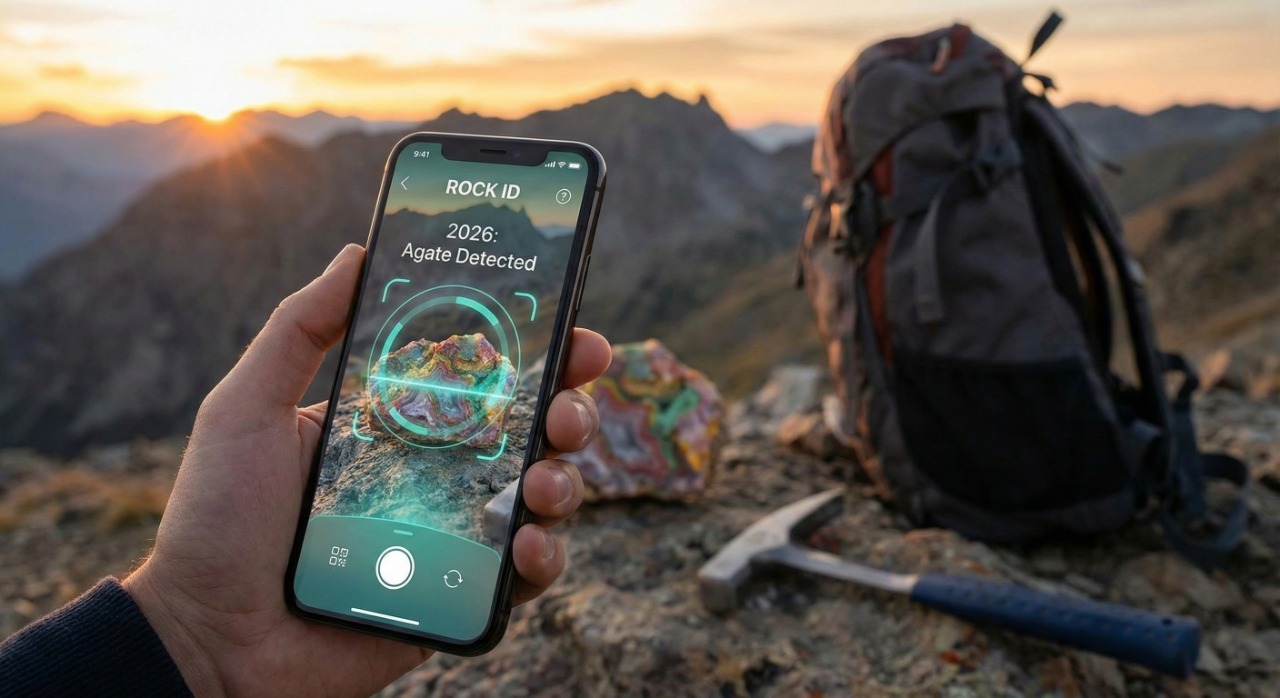
We’ve all been there. You’re hiking a rugged trail, walking along a windswept beach, or digging in your garden when something catches your eye. It’s a rock, but not just any rock. It has a strange sparkle, a unique color band, or an unusual waxy texture.
You pick it up and wonder: "What is this?"
Is it a rare agate? A piece of raw quartz? Or just a pretty piece of industrial slag? In the past, answering that question meant hauling around heavy field guides and thumbing through hundreds of pages, trying to match a grainy photo to the specimen in your hand. It was a slow, often frustrating process that left many beginners guessing.
Today, advanced artificial intelligence (AI) and machine learning have revolutionized this hobby, putting a professional geologist right in your pocket. With a simple snap of your camera, you can access databases containing thousands of mineral species.
But with dozens of scanner apps on the market—many charging high weekly subscription fees or hiding behind aggressive paywalls—which one should you actually trust?
We tested the most popular options on accuracy, ease of use, database depth, and cost to bring you this comprehensive guide to the best rock identifier apps available in 2026.
1. IdentifyRock.net
Best For: Instant, free identification without downloading an app.
If you want an immediate answer without clogging up your phone’s storage with another heavy app, IdentifyRock.net is the clear winner for 2026.
In an era where most apps force you to download 100MB+ files and navigate aggressive "Sign Up Now" screens before you can even take a photo, IdentifyRock.net stands out for its accessibility. It is a streamlined, web-based tool that works directly in your mobile or desktop browser. You simply navigate to the site, snap or upload a photo of your stone, and its specialized AI analyzes the image instantly.
It is designed to be the fastest route from curiosity to knowledge, providing the name of the rock or mineral and key geological information in seconds.
Key Features:
- Zero Barrier to Entry: No app store downloads or updates required.
- Privacy Focused: No need to create an account to get a result.
- Platform Agnostic: Works equally well on iOS, Android, Windows, and Mac.
Pros:
- Free to Start: A generous daily allowance of identifications with no sign-up and no auto-renewing "free trials." For unlimited identifications, unlimited AI chat, and saved collections, there's an optional IdentifyRock Unlimited plan.
- Instant Access: Perfect for the casual user who doesn't want to commit to a paid app ecosystem.
- Specialized AI: Focused solely on geological identification, avoiding the "shopping" bias of general search engines.
Cons:
- Online Only: Requires an internet connection (as it is web-based), so it may not work in deep remote wilderness without a signal.
Verdict: For the casual rockhound, hiker, student, or parent who wants quick, accurate answers without the hassle, this is the best starting point.
2. Rock Identifier: Stone ID
Best For: Social butterflies and users who want community features.
If you browse the App Store or Google Play, this is likely the first result you see. Rock Identifier: Stone ID is a polished, heavyweight app that aims to be the "Instagram of Rocks."
Beyond simple identification, the app focuses heavily on ecosystem and community. It encourages you to save your identifications into a personal digital collection, share your finds with other users, and read extensive encyclopedia-style entries. It even attempts to offer a "diamond tester" feature, though we advise taking phone-based hardness testing with a grain of salt.
Key Features:
- Collection Management: Saves your scan history with dates and locations.
- Social Sharing: Allows you to post your finds to a community feed.
- Rich Encyclopedia: Offers detailed articles on the history and healing properties of stones.
Pros:
- Beautiful, modern user interface that is easy to navigate.
- Extensive database including metaphysical/healing properties, which appeals to crystal enthusiasts.
- High-quality photos for comparison.
Cons:
- Expensive: The free version is extremely limited. The app uses aggressive marketing to push users into subscriptions (often $29.99/year or high weekly rates) immediately after a short trial.
- Battery & Storage Heavy: The app is large and can drain battery life during long field trips.
3. Google Lens
Best For: The minimalist who wants a "Swiss Army Knife" tool.
You likely already have this tool on your phone right now. Google Lens isn't strictly a "rock identifier"; it is a powerful general image recognition engine backed by Google's massive data index. It identifies everything from exotic plants and dog breeds to bar codes and, yes, rocks.
If you just need a very general idea of what something might be, Google Lens is a great starting point because it is fast and completely free. However, because it isn't trained specifically on geology, its results can sometimes be vague. It might identify an image as simply "blue mineral" rather than specifically differentiating between "azurite," "sodalite," or "lapis lazuli."
Pros:
- Always Free: No subscriptions or ads.
- Integrated: Built into Android cameras and the Google app on iOS.
- Visual Matches: Shows you visually similar images from around the web, which can help you verify the ID yourself.
Cons:
- Lack of Depth: Doesn't provide geological data like hardness (Mohs scale), streak color, or luster.
- Variable Accuracy: Can be easily confused by lighting or background clutter.
4. Geology Toolkit
Best For: Geology students and serious amateurs.
Geology Toolkit is more than just a scanner; it is a full pocket laboratory. While other apps focus on "point and shoot" simplicity, this app assumes you want to learn the science behind the stone.
It includes a suite of tools useful for field work, including a compass, a periodic table of elements, and a Mohs hardness scale reference. The interface is more utilitarian and data-heavy, making it less "fun" for kids but much more useful for an undergraduate geology student or a serious prospector.
Key Features:
- 3D Crystal Models: Helps you understand crystal systems (isometric, hexagonal, etc.).
- Microscope Images: Shows what minerals look like in thin sections (under a microscope).
- Field Tools: Includes GPS integration and inclinometer features.
Pros:
- Extremely educational and scientifically rigorous.
- Works well offline (depending on the specific database downloaded).
- Comprehensive mineral dictionary.
Cons:
- Steep Learning Curve: The interface can be overwhelming for a complete beginner.
- Visuals: Less polished/modern UI compared to Rock Identifier.
5. Smart Mineralogist
Best For: Offline use in remote locations.
When you are deep in a canyon or high up a mountain, you often lose cell service. That is where Smart Mineralogist shines. This app is designed to host its content offline, meaning you don't need a data connection to access its database of over 5,000 mineral species.
It focuses on the "science" of mineralogy, providing detailed data on composition, physical properties, and crystallography. It is less of a "magic scanner" and more of a digital reference book that helps you deduce the answer.
Pros:
- Offline Capability: Essential for real field trips away from civilization.
- Search Filters: Allows you to search by properties (e.g., "red," "hardness > 7") to narrow down candidates.
- No Ads: The premium versions are generally clean and professional.
Cons:
- Audio Issues: Users have noted a lack of pronunciation guides for difficult mineral names.
- Database Size: While large, the photos are sometimes limited to keep the app size manageable.
6. Rock ID: Stone Scanner
Best For: Building a digital logbook or "Museum."
Another popular store-based app, Rock ID: Stone Scanner distinguishes itself by focusing on the "collection" aspect of the hobby. If your main goal is to create a digital catalog of your summer vacation finds, this app provides a solid framework.
It allows you to snap a photo, get an ID, and then tag the location where you found it, effectively building a personal map of your geological discoveries.
Pros:
- Great features for organizing and tagging a personal collection.
- Location services allow you to see where you found specific items years later.
- User-friendly interface suitable for younger users.
Cons:
- The free version is heavily ad-supported, which can be intrusive.
- Identification accuracy is generally considered slightly lower than the top-tier competitors like IdentifyRock or Google Lens.
7. Crystal Identifier (Healing Pal)
Best For: Users interested in metaphysical and healing properties.
While geologists focus on chemical composition, a huge segment of the rock-collecting world is interested in the spiritual or "healing" side of crystals. Crystal Identifier (often branded as Healing Pal) caters specifically to this niche.
When you scan a stone, it doesn't just tell you it's "Amethyst" (Silicon Dioxide); it tells you it is associated with the Crown Chakra, supposedly helps with sleep and anxiety, and is the birthstone for February.
Pros:
- Niche Focus: Provides the specific spiritual information that general geology apps omit.
- Meditation Tools: Some versions include built-in meditation timers or guides associated with the crystals.
- Aesthetic: Very pleasing, calming visual design.
Cons:
- Scientific Validity: The "healing" data is not scientifically proven, which may annoy strict realists.
- Cost: often follows the high-subscription model of similar lifestyle apps.
8. Mineral Identifier
Best For: Estimating value and market prices.
One of the most common questions after "What is this?" is "Is it worth anything?"
Mineral Identifier attempts to bridge this gap. While no app can give a perfectly accurate appraisal (value depends heavily on condition, size, and buyer), this app provides estimated market values for raw minerals and gemstones. It helps beginners distinguish between a $1 piece of common quartz and a potentially valuable $50 specimen.
Key Features:
- Price Estimation: Gives rough market value ranges.
- Rocksy Assistant: A built-in AI chat assistant to answer questions about the stone.
Pros:
- Unique financial angle that other apps lack.
- Good for casual collectors looking to sell or swap finds.
Cons:
- Valuation Risk: App estimates should never be used for insurance or professional sales; they are rough guesses at best.
- Subscription required for advanced features.
9. Mindat.org (Mobile Site)
Best For: The ultimate scientific authority.
Mindat.org is not a traditional "scanner app," but it is the single most important resource on the internet for minerals. It is the world's largest, most comprehensive database of mineral information, maintained by experts and professionals.
If an AI app gives you a result you are unsure of, Mindat is where you go to verify it. It offers photos of every variation of a mineral, detailed locality maps (showing exactly where in the world a mineral has been found), and rigorous chemical data.
Pros:
- Unmatched Accuracy: The data is peer-reviewed and professional-grade.
- Locality Data: Helps you confirm ID based on where you found the rock (e.g., "Is Blue John Fluorite found in Kentucky?" Mindat will tell you).
- Free: Supported by donations and a dedicated community.
Cons:
- Not a Scanner: You generally have to search by name or properties; it doesn't have a "scan and identify" camera feature for beginners.
- Complex: The interface is dense and academic.
The Reality Check: Why AI Can Be Wrong
Before you rely 100% on any of these apps, it is crucial to understand how they work—and where they fail.
AI rock identifiers work by comparing the pixels in your photo to millions of training images. They look for patterns in color, texture, and shape. However, rocks are tricky subjects for three main reasons:
- The "Imposter" Problem: A piece of red glass (slag), red plastic, and red garnet can look identical in a photo. The app cannot feel the weight (density) or temperature of the object.
- Weathering: A rock found in a riverbed might be smooth and rounded, while the same rock found in a cliff face is jagged. This can confuse the AI.
- Color Variations: Minerals like Quartz or Fluorite can come in almost every color of the rainbow. If an app relies too heavily on color, it will often misidentify these "chameleons."
Expert Tip: Treat the app's result as a suggestion, not a final verdict. If an app says "Diamond," do not quit your job! It is likely just clear quartz.
How to Verify Your Findings: 3 Simple Manual Tests
To truly confirm what you have found, you should pair the AI app with good old-fashioned physical geology. Here are three simple tests you can do at home:
1. The Hardness Test (Mohs Scale)
Geologists rank minerals by how hard they are.
- The Test: Try to scratch your rock with a few common items.
- Fingernail: (Hardness 2.5)
- Copper Penny: (Hardness 3.5)
- Steel Nail/Knife: (Hardness 5.5)
- Glass: (Hardness 5.5 - 6.0)
- Quartz Crystal: (Hardness 7.0)
Example: If your "Diamond" (Hardness 10) can be scratched by a steel file (Hardness 6.5), it is definitely not a diamond.
2. The Streak Test
The color of a mineral's powder is often different from the rock itself.
- The Test: Rub the rock on the unglazed back side of a white porcelain tile (like a bathroom tile).
- Example: Pyrite ("Fool's Gold") looks gold but leaves a black streak. Real Gold leaves a yellow streak. Hematite looks grey/silver but leaves a red streak.
3. The Vinegar Test (Acid Test)
This is specific for carbonate minerals like Calcite.
- The Test: Scratch the rock slightly to create some powder, then drop a little white vinegar on it.
- Result: If it fizzes or bubbles, it is likely Calcite or Limestone. Quartz and other silicates will not react.
Buying Guide: How to Choose the Right Tool
When selecting a rock identifier, consider your specific needs:
- For the "One-Off" Wonder: If you just found one cool rock and want to know what it is, do not download a 200MB app. Use IdentifyRock.net or Google Lens. They are fast, free, and require no commitment.
- For the Hiker: If you are going off-grid, you need Smart Mineralogist or Geology Toolkit. Web-based apps won't work without a signal, and battery-draining social apps might leave you stranded.
- For the Crystal Healer: If you care more about energy and chakras than chemical formulas, Crystal Identifier is worth the download.
- For the Social Collector: If you want to show off your collection and compete with friends, Rock Identifier: Stone ID is the best social platform, provided you are willing to pay the subscription fee.
Warning: The Subscription Trap
A massive number of negative reviews for rock apps stem from "Free Trials." Many apps offer a "3-Day Free Trial" but require you to input credit card info upfront. If you do not cancel 24 hours before the trial ends, you are automatically charged for a full year (often $30-$50).
Our Advice: Always check if the app allows you to close the "Subscribe" window (look for a tiny 'X' or 'Skip' in the corner) to use a limited free version. If an app demands payment info before you can take a single picture, consider using a free alternative like IdentifyRock.net instead.
Conclusion
Rock collecting is one of the most accessible and rewarding hobbies in the world. It connects us to the deep history of our planet. Whether you are a student, a spiritual seeker, or just someone who likes pretty stones, there is a tool out there to help you.
While paid apps offer robust community features and shiny interfaces, the barrier to entry has never been lower. For the vast majority of users who simply want a fast, accurate, and free answer, we recommend starting with the friction-free approach.